
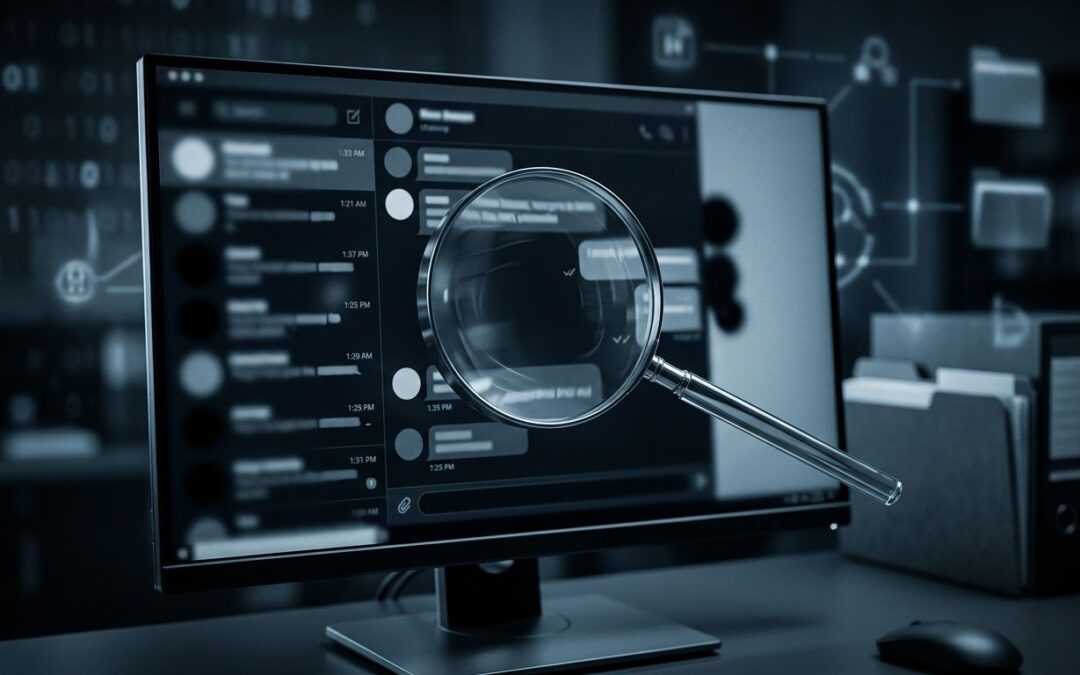
A screenshot can show real words and still present a false story. The crop may remove the question, the reply, the date, or the sentence that changes everything.
We need more than a visual impression. Screenshot verification means checking the image against the original post, the surrounding conversation, reliable archives, and independent reporting. No single check proves authenticity, but several matching pieces can reveal whether the screenshot is complete enough to trust.
Key Takeaways
- A genuine screenshot can still mislead when important context is outside the crop.
- Look for the original post, thread, account, date, and sequence of replies.
- Treat fonts, timestamps, metadata, and image searches as clues, not final proof.
- Compare the claim with independent sources and archived material.
- Remove personal information before saving or sharing screenshots.
Read the Screenshot as Evidence, Not a Verdict
We start with the image itself, but we don't end there. A screenshot is a record of what someone chose to capture. It isn't automatically a complete record of what appeared on the screen.
The first question is simple: what is missing?
Check all four edges. Is the account name visible? Does the image show the platform, post date, and engagement details? Are the first words cut off? Does the final line disappear beneath the crop? A screenshot that begins halfway through a sentence may remove the condition that limits the claim.
Replies deserve the same attention. A post can look aggressive or deceptive when the next comment corrects it, adds a date, or identifies satire. A cropped quote can also hide that the author was quoting another person.
We should inspect the image for signs of editing, but we need to keep our judgment measured. Uneven font weight, strange spacing, blurred icons, or a mismatched background can suggest alteration. They can also result from compression, a phone's display settings, or a screenshot being saved and reposted several times.
Metadata rarely settles the question. Social platforms often remove file details, and messaging apps can strip them during transfer. The creation date of an image file may show when the screenshot was exported, not when the post appeared.
The useful question isn't, "Does this look fake?" It's, "What does this image establish, and what does it leave unproven?"
A screenshot can be authentic as an image and misleading as a message.
We record the exact visible wording, punctuation, username, platform, timestamp, and any web address. Those details become search clues. We also save the original file if we have it, rather than relying on a compressed copy from a post or group chat.
Find the Original Post Before Trusting the Crop
The strongest next step is locating the source. Search a distinctive sentence in quotation marks, including unusual spelling, hashtags, or punctuation. If the screenshot contains a public figure's statement, search the phrase with the person's name and the event connected to it.
We should search more than one fragment. A screenshot may contain a caption, an image, and a quoted reply. Searching the caption alone can lead to a different post. Searching a rare five- or six-word phrase may locate the original thread.
Look for the account page, not only a repost. Confirm that the username, profile image, biography, and verification status match the screenshot at the relevant time. Usernames can change, impersonator accounts can use similar names, and a blue checkmark doesn't tell us whether the quoted statement is true.
The original page may no longer be available. A post can be deleted, restricted, edited, or hidden behind a login. Search results, news reports, public archives, and saved copies may still preserve part of the record. The Internet Archive's Wayback Machine can help with some public pages, but it doesn't capture every social media post or every reply.
When we find a possible match, compare the details line by line:
- Does the wording match exactly, including punctuation and emojis?
- Does the account belong to the person or organization shown?
- Does the post date fit the event being discussed?
- Are the replies and quoted material in the same order?
- Is the screenshot showing an old version of an edited post?
A match on the main sentence isn't enough. The surrounding text is often where the meaning changes.
For example, a screenshot might show, "The report found no evidence of fraud." The missing sentence above could say, "Contrary to online claims, the report found no evidence of fraud." The words captured are genuine, but the crop can reverse the apparent meaning.
We also need to separate a screenshot of a post from a screenshot of a search result. Search pages can rank old material, combine unrelated phrases, or display snippets that omit key words. A search snippet is a lead to investigate, not the source itself.
Rebuild the Timeline and the Conversation
A screenshot without time is an open door to confusion. The same statement can mean something different before an election, after a court ruling, or following a correction.
Check the date and time shown in the image. A label such as "2h" changes as time passes and may not show the original posting time. A clock can also reflect the device owner's time zone, not the place where the event happened.
We should compare the screenshot with the timeline of the claim. Did the event mentioned in the post happen before or after the screenshot was captured? Was the account responding to breaking news? Did the person later correct or delete the statement?
Edits matter. Some platforms label edited posts, while others don't display a clear history to every viewer. A screenshot of an earlier version may be genuine, but it shouldn't be presented as the person's current position without saying when it was captured.
Threads create another problem. Social platforms may display replies based on ranking, relevance, or personalized settings instead of strict time order. A screenshot can place a response beside a post even when other replies appeared between them.
Pay attention to pronouns and references. Words such as "they," "that decision," and "this number" depend on earlier messages. Remove the earlier message, and the statement may become impossible to interpret correctly.
We can build a basic timeline in plain language:
- The event occurred.
- An account published the first statement.
- Another account replied or quoted it.
- A correction, deletion, or later update appeared.
- Someone captured and shared the screenshot.
That sequence often exposes the problem. A post may have been satire, a draft, a private reply, or a reaction to a claim that the screenshot doesn't show.
Context also includes the account's identity. A parody account may use a public figure's name and image. A fan account may post in a celebrity's voice. A screenshot that hides the profile address removes one of the easiest ways to distinguish the original speaker from an imitator.
Corroborate the Claim With Independent Sources
Finding the original screenshot source helps, but it doesn't establish that the claim itself is true. We need a second line of evidence.
For images, reverse-search tools such as Google Lens and TinEye can locate earlier appearances, altered versions, or a larger image that includes the missing edges. Image search has limits. A result can show where an image appeared, but not who created it or whether the accompanying caption is accurate.
For web pages, compare archived versions with live pages. Look for publication dates, corrections, author names, and changes to the headline. An archived page can show that a claim existed at a certain time, but it may not prove that every detail in a screenshot came from that page.
Independent reporting is especially useful when a screenshot makes a major claim about an election, court case, public official, or violent event. Search for coverage from outlets that aren't copying one another. Check official records when available, such as court documents, election offices, agency statements, transcripts, or full video.
We should distinguish between confirmation and repetition. Ten accounts repeating the same screenshot are not ten independent sources if they all copied one post.
A practical comparison looks like this:
| Evidence | What it can tell us | What it cannot prove alone |
|---|---|---|
| Original account page | Whether a matching post exists | Whether the post is truthful |
| Archive copy | Whether a page appeared at a certain time | Whether every reply was preserved |
| Reverse image search | Earlier or related uses of an image | Who first created the image |
| Independent reporting | Whether outside evidence supports the claim | That the screenshot is unedited |
| File metadata | Possible details about the file | When the original post was published |
We should keep a record of what matches and what doesn't. If the account, wording, date, and thread all align, confidence increases. If one key detail conflicts, we pause instead of forcing the evidence into a conclusion.
Corroboration builds confidence. It doesn't turn a screenshot into unquestionable proof.
When sources disagree, we state the disagreement plainly. "The original post exists, but the screenshot removes the reply that supplies context" is more accurate than calling the image fake. "The account published the statement, but no independent source confirms the claim" is also a complete finding.
Protect Personal Information Before Sharing
Screenshots often contain more than the disputed claim. They may reveal a private username, profile photo, phone number, email address, location, direct message, or notification preview.
We should not publish those details unless they are necessary and lawful to the story. Blur or crop personal information before sharing a screenshot, especially when the person is a private individual, a minor, or an uninvolved bystander.
Be careful with usernames. A public account may be relevant, but linking a private person to a viral accusation can expose them to harassment. The fact that information appears in a screenshot doesn't make wider distribution responsible.
Before saving or forwarding an image, we can:
- Crop unrelated notifications, messages, and contact details.
- Cover private usernames and profile photos when they aren't relevant.
- Keep an unedited copy in a secure location for documentation.
- Avoid posting the screenshot in a way that makes personal details searchable.
- Describe what was hidden if the redaction affects the reader's understanding.
Redaction can also create confusion. If we remove a line that changes the meaning, we need to say so. A privacy edit should protect people, not quietly reshape the evidence.
Our final assessment should use a clear confidence level. The screenshot may be confirmed as a matching post, partly verified but missing context, unsupported, or inconclusive. These labels are more honest than a forced real-or-fake verdict.
Conclusion
Screenshot verification begins with the visible image, then moves outward: the original account, the complete thread, the timeline, archived pages, and independent evidence. We check what matches, identify what is missing, and avoid treating appearance as proof.
A screenshot can preserve a real post while hiding the full story. Before we share it, we should ask one final question: what would we need to see outside this crop before making the claim?