
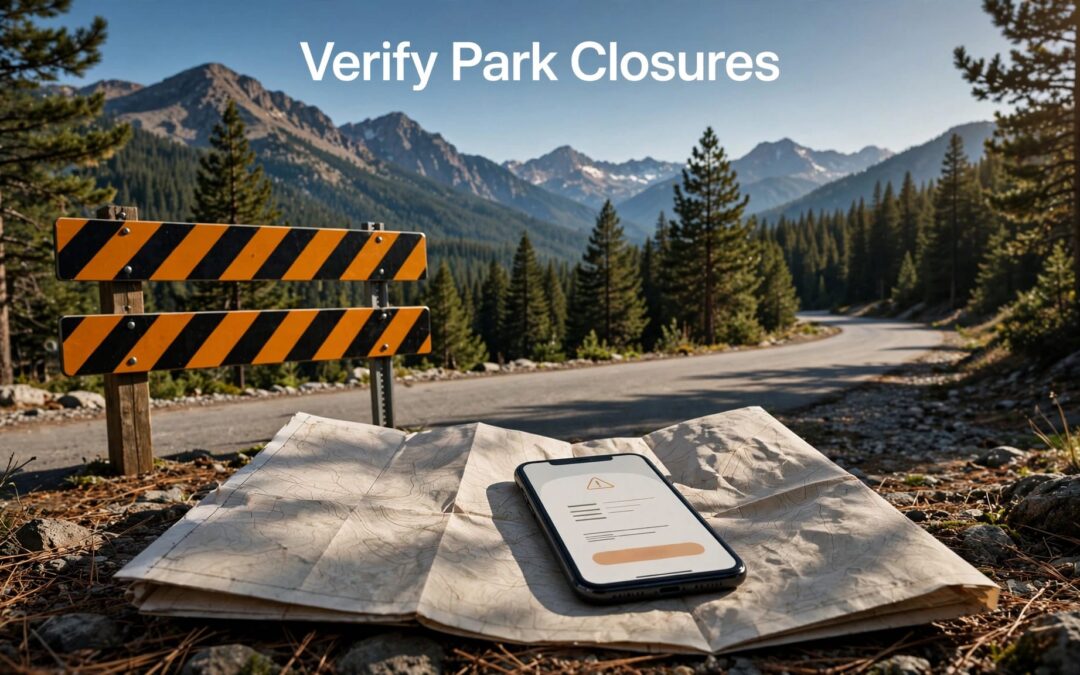
To verify national park closures, open the park's official NPS alerts and conditions page, then read the notice for your destination and travel date. The important detail is scope: a park can remain open while a road, trail, campground, or visitor center is closed.
A headline can lose that distinction. A search summary can lose the date.
At AAIM, we recommend tracing the claim to the park's notice, then keeping its location, timing, and limits attached to the answer.
Key takeaways
- Start with NPS.gov, then follow the alert to the named park's conditions page.
- Read the notice date, effective dates, affected locations, hours, closure reason, and reopening language together.
- Match the notice to your route and reconfirm shortly before travel, especially during weather, fire, or road-repair disruptions.
An official notice gives you something a repost often removes: the boundaries of the claim.
Start with NPS notices for national park closures
The National Park Service's Active Alerts in Parks gathers alerts from park websites. It offers filters for state, park, and alert type.
We recommend using it as an entry point. The park's own page supplies the detail needed for a travel decision.
Open the park’s alerts and conditions page
Follow the alert to the park's NPS.gov website. Look for sections labeled "Alerts & Conditions," "Current Conditions," or similar wording.
These pages can connect a short alert to road reports, trail conditions, maps, and longer notices. Read the linked detail when the alert names a separate closure order or affected-area map.
Grand Canyon's conditions page, for example, combines park-access information with road-status resources. Those are related questions, but they don't always have the same answer.
Read beyond the closure label
NPS uses Danger, Closure, Caution, and Information alert categories. Read every category that could affect your route.
A hazard notice can matter even when its heading doesn't contain "closed." An information notice can describe an access change that reshapes your day.
Our guidance on finding primary sources follows the same principle: choose the record that answers the particular question. For park access, that means the notice for the place you intend to enter.
Read the notice date and operating hours separately
A date near the top of a page can look decisive. It needs context.
Record when the notice was published or updated, when the restriction takes effect, and which hours it covers. Those details answer different questions.
Separate publication from effective dates
A notice can appear before a closure begins. An older notice can describe a restriction that remains in effect.
Redwood National and State Parks provided a clear timing example in its October 17, 2026, conditions update. Lyon's Ranch Trail had intermittent closures scheduled for prescribed burns on October 22 through 26.
The update date described the record. The later dates described the planned restriction. Treating them as interchangeable would change the travel advice.
Our guide to checking publication dates against events explains why that separation matters.
Read the hours and access conditions
A daily work window differs from an all-day closure. A delay differs from a prohibition.
The Sequoia and Kings Canyon conditions page describes weekday traffic delays between 8 a.m. and 5 p.m., with delays of up to 30 minutes total. That wording describes managed traffic, not complete loss of access.
Also read for restrictions on pedestrians, bicycles, oversized vehicles, or overnight use. An open road may still have limits that affect your plans.
Match the closure boundary to your route
A park name is a broad label. A closure usually needs a narrower reading.
We recommend comparing the notice's place names with your entrance, approach road, trailhead, destination, and return route.
Identify the exact road, trail, or facility
Keep road names and trail sections intact. Look for junctions, mileposts, campground boundaries, and other endpoints.
An Olympic National Park conditions notice describes Mora Road as closed at the campground to all traffic, including bicycles and pedestrians. It also explains that Rialto Beach isn't accessible via Mora Road during that closure.
The location matters. So does the transport restriction. A general claim that a road is closed can omit both.
Distinguish partial access from full access
Redwood's October 17 update listed Boy Scout Tree Trail as partially open and Alder Basin Trail as closed. Those descriptions call for different decisions.
Death Valley's October 15, 2026, conditions update made another distinction: the lower Saline Valley pools were closed, while the camping area between Lower and Palm Springs remained open.
Read the boundaries before changing the whole itinerary. An accessible campground doesn't establish access to nearby pools. A partially open trail doesn't establish passage along its entire length.
Read the closure reason and reopening language
The reason explains what the restriction addresses. It doesn't, by itself, establish when access returns.
Weather damage, fire activity, construction, and resource protection involve different conditions. Keep the stated reason attached to the notice rather than supplying an explanation from a headline or photograph.
Death Valley's October 15 update listed Bonnie Clare Road and Scotty's Castle as closed with no known reopening date. That wording left the schedule unresolved.
Look for a later notice that names the same location and states what changed. "Reopened," "closure lifted," and "access restored" describe a change in status. "Expected" and "anticipated" describe a schedule.
A reopening update needs to match the original closure's location and restriction. Reopening one road doesn't establish that every related facility has reopened.
Everglades National Park's Highway 41 Fire notice provides a concrete example of precise reopening language. It stated that all related emergency closures were lifted as of May 2, 2026, at 8 a.m.
That statement identified the event, the restrictions, and the effective time. Preserve those details when sharing the update. Removing them can turn a limited reopening announcement into a broader claim than the park made.
Use official park social accounts for fast updates
Official park social accounts can carry timely updates, news releases, and short explanations during changing conditions. They are useful when access information is moving quickly.
Reach the account through the park's NPS.gov website rather than trusting a familiar profile picture or a similar account name. Then read the post's timestamp and any linked notice.
Keep publication time separate from event time here, too. A post published today can refer to yesterday's closure or tomorrow's reopening.
Read whether the post concerns the entire park, one entrance, or one facility. A photograph of a reopened road doesn't describe every road outside the frame.
When a social update and a conditions page appear different, compare their dates, locations, and wording. They may describe different areas or different stages of the same event.
News reports can provide context, but several reports repeating one announcement don't add independent confirmation. Our guide to comparing news reports explains how to trace repeated claims back to their original evidence.
Reconfirm shortly before travel
National park closures can change between booking and departure. Reconfirm the relevant NPS notice shortly before leaving, then again near arrival when conditions are changing.
Save the notice's link, its timestamp, and the affected-area map. A saved copy preserves what you read, but it also preserves its age.
We recommend this short final pass:
- Reopen the park's alerts and conditions page and read any newer update affecting your destination.
- Match the restriction to your entrance, route, travel hours, and planned activity.
- Identify an accessible backup destination without assuming an unlisted shortcut is permitted.
Download maps and useful park information before entering areas with limited service. Keep your saved information dated so an older screenshot doesn't become your assumed current status.
At the park, follow posted barriers and ranger directions. A route shown in a navigation app doesn't override an access restriction. Turn-by-turn directions describe where a road goes; they don't establish permission to use it.
Frequently asked questions
Does a closure notice mean the entire park is closed?
Read the named location and boundaries. NPS notices can concern the whole park or a particular road, trail, building, campground, or area.
The practical question is whether the restriction affects your visit. Nearby facilities can have different access statuses, even when they appear together on a park map.
Can an older NPS notice still apply?
Yes. The publication date tells you when the notice appeared, not necessarily when the restriction ends.
Read its effective period and reopening language alongside newer updates for the same location. A long-running repair closure may remain relevant well after the original announcement.
What if two official updates appear to disagree?
Compare the location, restriction, publication time, and effective time in each update. One may cover a road while the other covers a trail. One may announce a change scheduled for later.
If the difference remains unresolved, don't describe access as established. Keep the uncertainty attached to your travel decision.
Keep the limits attached to the answer
A useful closure answer names the place, states the restriction, and preserves the date. "The park is closed" loses too much when the notice concerns one road or facility.
We recommend keeping that source trail with your plans and any update you share. Reconfirm shortly before departure. The notice that supports today's decision should describe the access you intend to use.